If you’re diving into cloud databases, Azure SQL Database is a game-changer. It’s Microsoft’s fully managed relational database service, built for performance, scalability, and security—all without the hassle of managing physical servers.
What Is Azure SQL Database?

Azure SQL Database is Microsoft’s cloud-based relational database management system (RDBMS), built on the robust foundation of SQL Server. But unlike traditional SQL Server installations, Azure SQL Database is a Platform-as-a-Service (PaaS) offering, meaning Microsoft handles infrastructure management, patching, backups, and high availability—freeing developers and DBAs to focus on application logic and data design.



Fully Managed Cloud Database
One of the biggest advantages of Azure SQL Database is that it’s fully managed. This means no need to worry about hardware provisioning, software updates, or routine maintenance tasks. Microsoft automatically applies security patches, performs backups, and ensures high availability through built-in redundancy.
- Automatic updates and patching
- Integrated backup and restore capabilities
- Self-healing infrastructure with automated failover
This level of automation drastically reduces operational overhead, making it ideal for organizations looking to streamline their database operations.
Based on the Latest SQL Server Engine
Azure SQL Database runs on the latest version of the SQL Server database engine, ensuring compatibility with existing SQL Server tools, features, and T-SQL syntax. This makes migration from on-premises SQL Server instances relatively seamless.
Developers can leverage familiar tools like SQL Server Management Studio (SSMS), Azure Data Studio, and Visual Studio for development and management. Additionally, features such as JSON support, spatial data types, and advanced query processing are all available in the cloud environment.
“Azure SQL Database brings the power of SQL Server to the cloud with minimal friction for existing users.” — Microsoft Azure Documentation
Key Benefits of Azure SQL Database
Choosing the right database platform can make or break your application’s performance and scalability. Azure SQL Database stands out due to its comprehensive set of benefits tailored for modern cloud applications.
Scalability and Performance
Azure SQL Database offers multiple service tiers and compute sizes to match your workload needs. Whether you’re running a small web app or a large enterprise system, you can scale up or down with just a few clicks—or automate scaling based on demand.
- Provisioned and serverless compute options
- Automatic scaling with Hyperscale tier for massive workloads
- Real-time performance monitoring via Azure Monitor
The Hyperscale tier, in particular, allows databases to grow up to 100 TB with near-instant scaling, making it perfect for data-intensive applications like analytics platforms or SaaS products.
High Availability and Disaster Recovery
With built-in redundancy across multiple availability zones, Azure SQL Database guarantees 99.99% availability. It uses Always On availability groups to ensure continuous operation even during hardware failures.
Additionally, point-in-time restore (PITR) backups are enabled by default, allowing recovery to any second within the retention period (up to 35 days). For mission-critical systems, geo-restore and active geo-replication provide cross-region failover capabilities.
- Automatic backups with long-term retention policies
- Active geo-replication for up to four readable secondary databases
- Failover groups for automatic DNS redirection during outages
Security and Compliance
Security is baked into every layer of Azure SQL Database. From encryption at rest and in transit to advanced threat detection, Microsoft ensures your data remains protected.
- Transparent Data Encryption (TDE) enabled by default
- Advanced Data Protection with vulnerability assessments and threat detection
- Integration with Azure Active Directory (AAD) for centralized identity management
Compliance is also a strong suit—Azure SQL Database meets standards like GDPR, HIPAA, ISO 27001, and SOC 1/2, making it suitable for regulated industries such as healthcare and finance.
Azure SQL Database Deployment Models
Understanding the different deployment models is crucial when choosing the right fit for your application architecture. Azure SQL Database offers three primary models: single database, elastic pool, and managed instance.
Single Database
The single database model is the most straightforward option. Each database operates independently with its own compute and storage resources. It’s ideal for applications that require isolation and predictable performance.
- Perfect for SaaS applications with per-customer databases
- Supports both provisioned and serverless compute tiers
- Easy to monitor and manage individually
You can learn more about this model in Microsoft’s official guide: Azure Single Database Overview.
Elastic Pools
When managing multiple databases with variable workloads, elastic pools offer a cost-effective solution. Instead of allocating full resources to each database, you allocate a shared pool of CPU, memory, and I/O resources.
This model is especially useful for scenarios like multi-tenant applications where individual databases have bursty usage patterns. During peak times, active databases can consume more resources, while idle ones use less—optimizing overall cost.
- Cost-efficient for managing dozens or hundreds of databases
- Dynamic resource sharing based on actual usage
- Supports both vCore and DTU-based purchasing models
Managed Instance
For organizations migrating large on-premises SQL Server environments, Azure SQL Managed Instance provides near 100% compatibility. It supports features like SQL Agent, cross-database queries, and CLR integration—features not available in single databases.
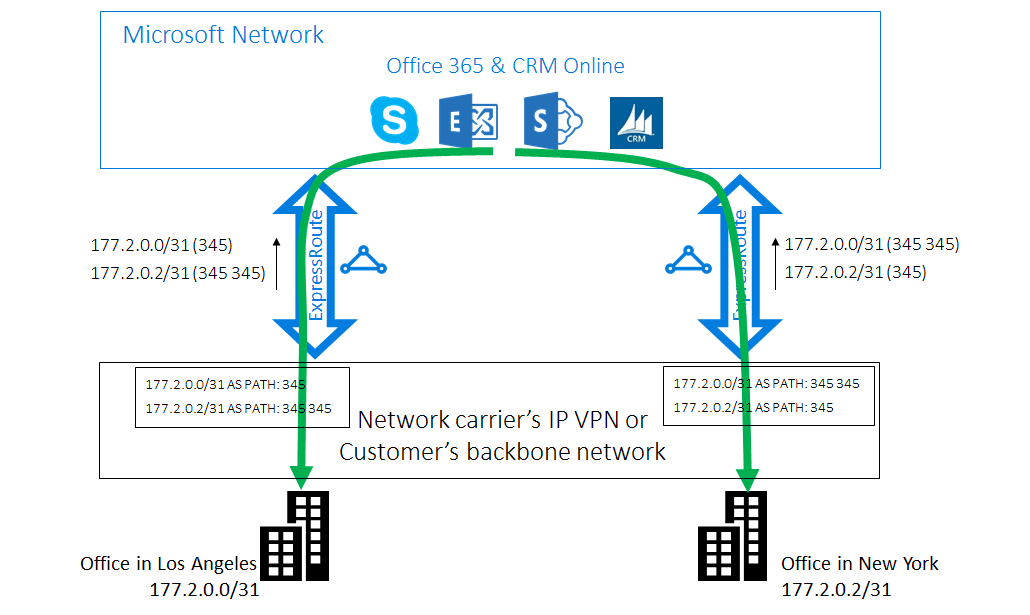
Managed Instance runs within a virtual network (VNet), offering enhanced network isolation and seamless integration with on-premises systems via ExpressRoute or Site-to-Site VPN.
- Supports legacy SQL Server features and migration tools
- Enables hybrid cloud architectures
- Automated patching and version upgrades
Explore more at: Azure SQL Managed Instance Overview.
Performance Tuning and Optimization
Even the best database platform needs optimization to deliver peak performance. Azure SQL Database includes intelligent performance features that help you fine-tune queries, indexes, and resource allocation.
Automatic Tuning
Automatic tuning is one of the standout features of Azure SQL Database. It uses machine learning to analyze query performance and recommend or apply optimizations automatically.
- Identifies and fixes inefficient query plans
- Recommends index creation or removal
- Can be set to “on” for fully automated optimization
This feature reduces the need for manual DBA intervention and helps maintain consistent performance over time.
Query Performance Insights
Query Performance Insights provides a visual dashboard to analyze top resource-consuming queries. You can drill down into CPU, memory, and I/O usage to identify bottlenecks.
- View historical query performance trends
- Compare query execution plans
- Pinpoint long-running or frequently executed queries
This tool is invaluable for developers and DBAs looking to optimize application performance.
Index Management
Indexes are critical for fast data retrieval, but poorly designed indexes can hurt performance. Azure SQL Database offers recommendations through the Azure Portal and REST APIs.
It analyzes missing indexes, duplicate indexes, and unused indexes, helping you maintain an optimal indexing strategy. You can also automate index maintenance using Azure Automation or PowerShell scripts.
Integration with DevOps and CI/CD Pipelines
In modern software development, database changes must be version-controlled and deployed alongside application code. Azure SQL Database integrates seamlessly with DevOps practices.
Database as Code (DbC)
Using tools like SQL Server Data Tools (SSDT) or the newer Azure SQL Database DevOps, you can define your database schema in code. This enables version control, code reviews, and automated testing.
- Schema changes tracked in Git repositories
- Automated validation using static code analysis
- Support for migration scripts and incremental updates
CI/CD with Azure DevOps
Azure DevOps supports continuous integration and deployment for Azure SQL Database projects. You can create build pipelines that compile your database project and release pipelines that deploy changes to staging or production environments.
- Automated testing with tSQLt or other frameworks
- Approval gates before production deployment
- Rollback strategies for failed deployments
This ensures reliable, repeatable deployments and reduces the risk of human error.
Monitoring and Alerting
Integrated with Azure Monitor, Application Insights, and Log Analytics, Azure SQL Database allows real-time monitoring of performance metrics, query execution, and security events.
- Custom alerts for CPU, DTU, or storage thresholds
- Log queries to detect suspicious activities
- Integration with ITSM tools like ServiceNow via Azure Logic Apps
These capabilities enable proactive issue resolution and ensure system health.
Migrating to Azure SQL Database
Migrating from on-premises or other cloud databases to Azure SQL Database can seem daunting, but Microsoft provides a suite of tools to simplify the process.
Assessment with Data Migration Assistant (DMA)
The Data Migration Assistant (DMA) helps assess your current database for compatibility issues. It scans your on-premises SQL Server instance and generates a report highlighting potential problems, such as deprecated features or unsupported data types.
- Identifies blocking issues and recommendations
- Supports migration from MySQL, Oracle, and other RDBMS
- Provides performance and reliability recommendations
Migration Using Azure Database Migration Service (DMS)
Azure Database Migration Service (DMS) enables online (zero-downtime) migrations. It continuously synchronizes data between the source and target until you’re ready to cutover.
- Supports homogeneous (SQL Server to Azure SQL) and heterogeneous migrations
- Minimizes application downtime
- Integrates with DMA for pre-migration assessment
DMS is particularly useful for enterprise migrations where uptime is critical.
Post-Migration Optimization
After migration, it’s essential to validate performance and reconfigure settings for the cloud environment. This includes adjusting indexes, enabling automatic tuning, and configuring backup retention policies.
- Run Query Performance Insights to identify slow queries
- Enable geo-replication for disaster recovery
- Set up monitoring and alerting workflows
Microsoft also offers the Azure Migrate service to discover, assess, and migrate entire on-premises environments.
Cost Management and Pricing Models
Understanding Azure SQL Database pricing is key to optimizing your cloud spend. The platform offers two main purchasing models: DTU-based and vCore-based.
DTU-Based Model
The DTU (Database Transaction Unit) model bundles compute, memory, and I/O into predefined performance tiers (Basic, Standard, Premium). It’s simpler to understand but less flexible.
- Ideal for small to medium workloads with predictable usage
- Limited control over underlying hardware
- No support for advanced features like SQL Agent
DTUs are being phased out in favor of the more flexible vCore model.
vCore-Based Model
The vCore model gives you granular control over compute and storage. You choose the number of vCores, memory, and storage type (e.g., Gen5 hardware, Premium SSDs).
- Greater flexibility in resource selection
- Support for advanced features like Hyperscale and Managed Instance
- Pay only for what you use, especially in serverless tier
This model is recommended for production workloads and large-scale applications.
Serverless Compute Tier
The serverless tier is a game-changer for intermittent workloads. It automatically pauses the database during inactivity and resumes when a query arrives, charging only for compute time used.
- Ideal for development, testing, or low-traffic applications
- Cost savings of up to 90% compared to provisioned tiers
- Configurable auto-pause delay (30 minutes to 7 days)
While convenient, serverless has cold-start latency, so it’s not suitable for real-time applications.
Best Practices for Azure SQL Database
To get the most out of Azure SQL Database, follow these proven best practices.
Use Resource Governor Patterns
Even though you don’t manage the OS, you can influence resource usage through query design and indexing. Avoid long-running transactions and excessive locking to prevent performance degradation.
Enable Threat Detection and Auditing
Turn on Advanced Data Security, which includes threat detection, vulnerability assessment, and auditing. These features help meet compliance requirements and protect against SQL injection and anomalous access patterns.
Leverage Readable Secondaries
In Premium and Business Critical tiers, readable secondaries allow offloading reporting and analytics queries from the primary database, improving overall performance.
What is Azure SQL Database?
Azure SQL Database is Microsoft’s fully managed relational database service in the cloud, based on the SQL Server engine. It offers high availability, automatic scaling, built-in security, and seamless integration with other Azure services.
How does Azure SQL Database differ from SQL Server on-premises?
Unlike on-premises SQL Server, Azure SQL Database is a PaaS (Platform-as-a-Service) that eliminates infrastructure management. Microsoft handles patching, backups, and high availability, while you focus on data and queries.
Can I migrate my existing SQL Server database to Azure SQL Database?
Yes, you can migrate using tools like Data Migration Assistant (DMA) and Azure Database Migration Service (DMS). These tools assess compatibility and enable zero-downtime migrations.
What are the pricing models for Azure SQL Database?
Azure SQL Database offers two main pricing models: DTU-based (simpler, bundled resources) and vCore-based (more flexible, granular control). The vCore model is recommended for most production scenarios.
Is Azure SQL Database secure?
Yes, it includes built-in security features like Transparent Data Encryption (TDE), Azure Active Directory integration, firewall rules, and Advanced Threat Protection to safeguard your data.
In conclusion, Azure SQL Database is a powerful, intelligent, and secure cloud database platform that empowers organizations to build scalable, high-performance applications with minimal operational overhead. Whether you’re a startup or an enterprise, its flexible deployment models, automated tuning, and robust integration with DevOps make it a top choice for modern data solutions. By leveraging its full capabilities—from Hyperscale to serverless computing—you can optimize both performance and cost in the cloud.
Recommended for you 👇
Further Reading: